Free
$0 forever
- Every tool, no limits
- Unlimited exports at any size
- One short ad before your first export each session
- A small banner ad while you work
DTF Artwork Prep · in your browser
Knock out backgrounds, stop white halos, fix soft pixels and export a transparent PNG at real print size. Every tool is free, and your artwork never leaves your computer.
No install, no upload, no account needed.
The problem
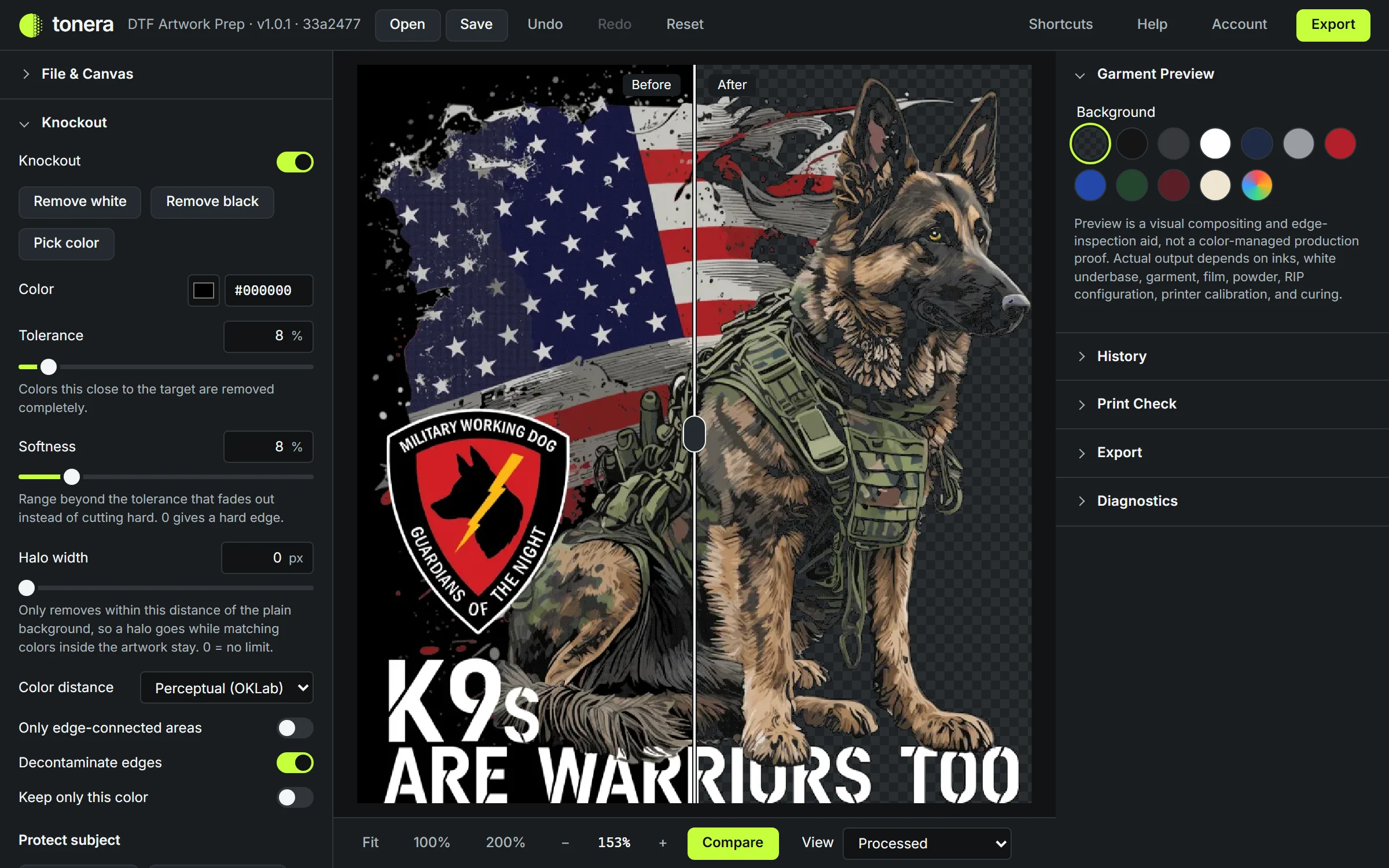
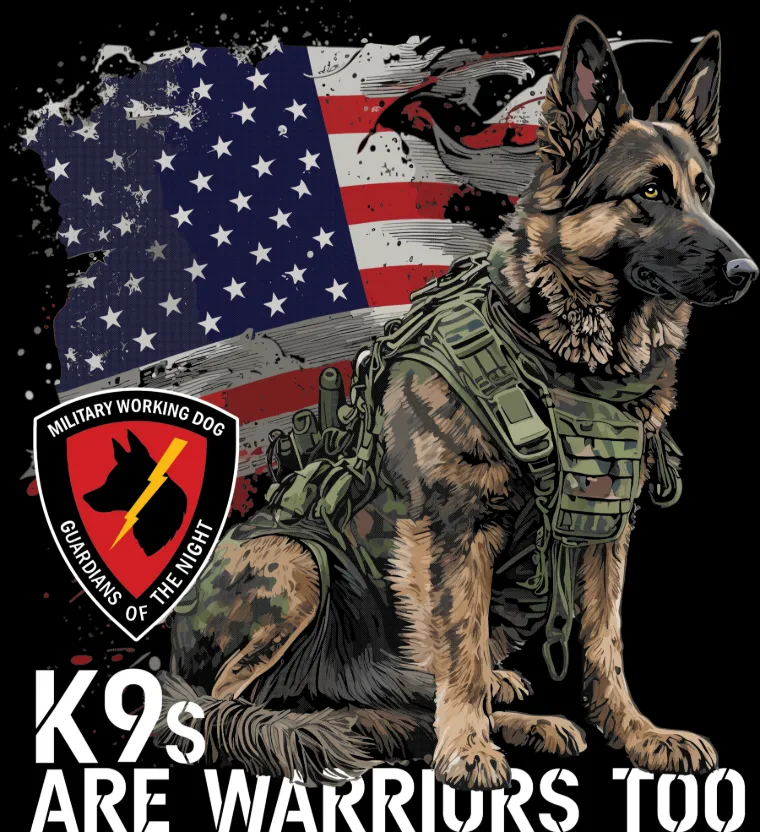
Most artwork arrives as a JPEG or PNG on a solid black or white background, with soft shadows and anti-aliased edges. A DTF printer prints all of it: the box, a halo around every edge, and faint semi-transparent pixels that come out patchy after pressing.
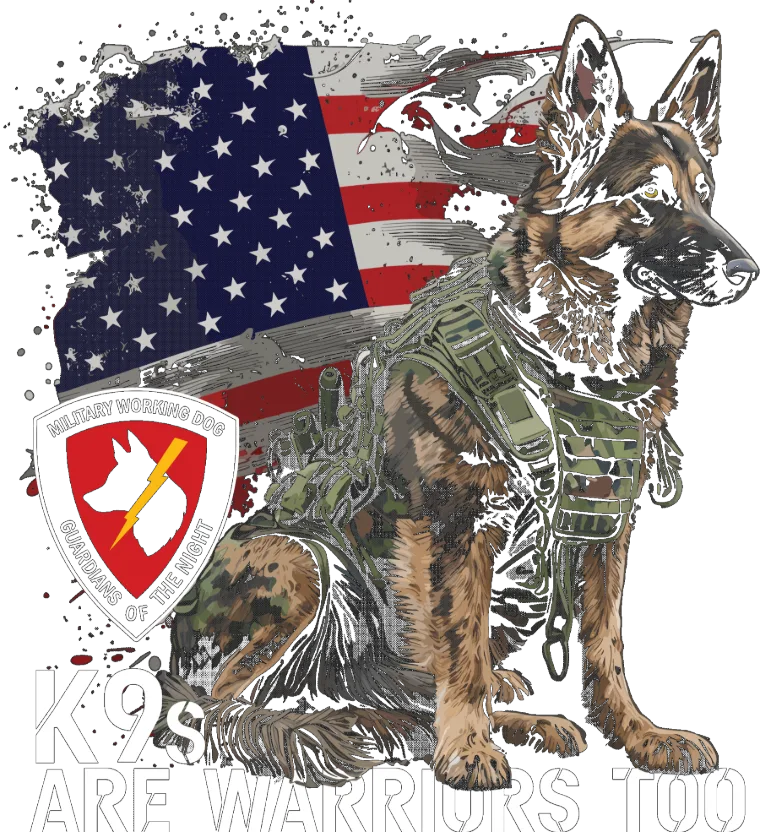
Tonera removes the background, cleans the edge and makes every pixel either fully printed or fully clear, so the film carries only your design.
What it does
Remove white, black or any color you pick with the eyedropper. Tolerance and softness are measured the way eyes see color, so near-whites go while light colors in the design stay.
Tolerance 8 % · Softness 8 %
Limit removal to a few pixels around the outside, so the halo goes while matching colors inside the design stay put.
Halo width 3 px
Paint over anything that must survive, like white eyes or highlights. Knockout never touches painted areas.
M to paint · Alt to erase
Finds semi-transparent pixels that print unevenly and fixes them your way: make solid, remove, or turn into dots.
Alpha 0 or 255 only
Turn soft fades and shadows into a controlled dot pattern that prints crisp. You set the line count and the smallest dot your printer can hold.
45 LPI · round dots
See how large the artwork prints sharp at 300 PPI, in inches and centimeters, and get a warning before you stretch it too far.
11.00 × 14.00 in at 300 PPI
Also: before/after compare, garment color preview, edge choke and spread, speck removal, undo history, and project files you can reopen later.
How it works
Drop in a PNG, JPEG or WebP. It opens at 300 PPI and tells you how big it prints sharp.
One click removes a white or black background. Pick any other color with the eyedropper.
Preview on a garment color, compare before and after, and let the print check fix soft pixels.
Save a transparent PNG at your print size, with the resolution written into the file.
All processing happens in your browser. We never upload your files, so client logos and unreleased designs stay yours, and big files don’t wait on a server.
Pricing
$0 forever
$9.99 / month
Hosting and development cost money. We’d rather keep every tool free than lock features behind a paywall, so a short ad once per session pays for the free version. Pro removes them for the price of a coffee or two a month. There are no ads on this page, and payments are handled by Stripe, so we never see your card details.
FAQ
Yes. Every tool and every export size is free. Free users see one short ad before their first export each session and a small banner while working.
No. Files are opened and processed in your browser and never sent to our servers.
Tonera exports a standard transparent PNG with its resolution embedded, which DTF RIP software accepts. Results still depend on your printer, film, powder, inks and curing, so run a test print with new settings.
Every pixel is either fully printed or fully clear, with no semi-transparent pixels. Those tend to print as faint, uneven ink on DTF film. The print cleanup check gets you there.
Only for Pro. The editor works without signing up.
PNG, JPEG and WebP images, plus project files saved from the editor.
Anytime, from your account settings. You keep Pro until the end of the period you paid for.